Customer Applications
Before shipments can be booked, customers must be set up in Cabo and approved by Priority1’s TMS team. While paper applications are still accepted, using Cabo is the preferred and most efficient method.
Sales reps are responsible for completing the initial portion of the application, as outlined in the steps below. Once submitted, Cabo automatically sends a digital application to the customer via a no-reply email. (Please advise customers to check their junk or spam folders if the email is not received promptly.)
To complete their portion of the application, sales reps will need the following information:
- Net terms (net 15 is the industry standard)
- Estimated monthly freight spend
- Freight mode
Submitting a Customer Application
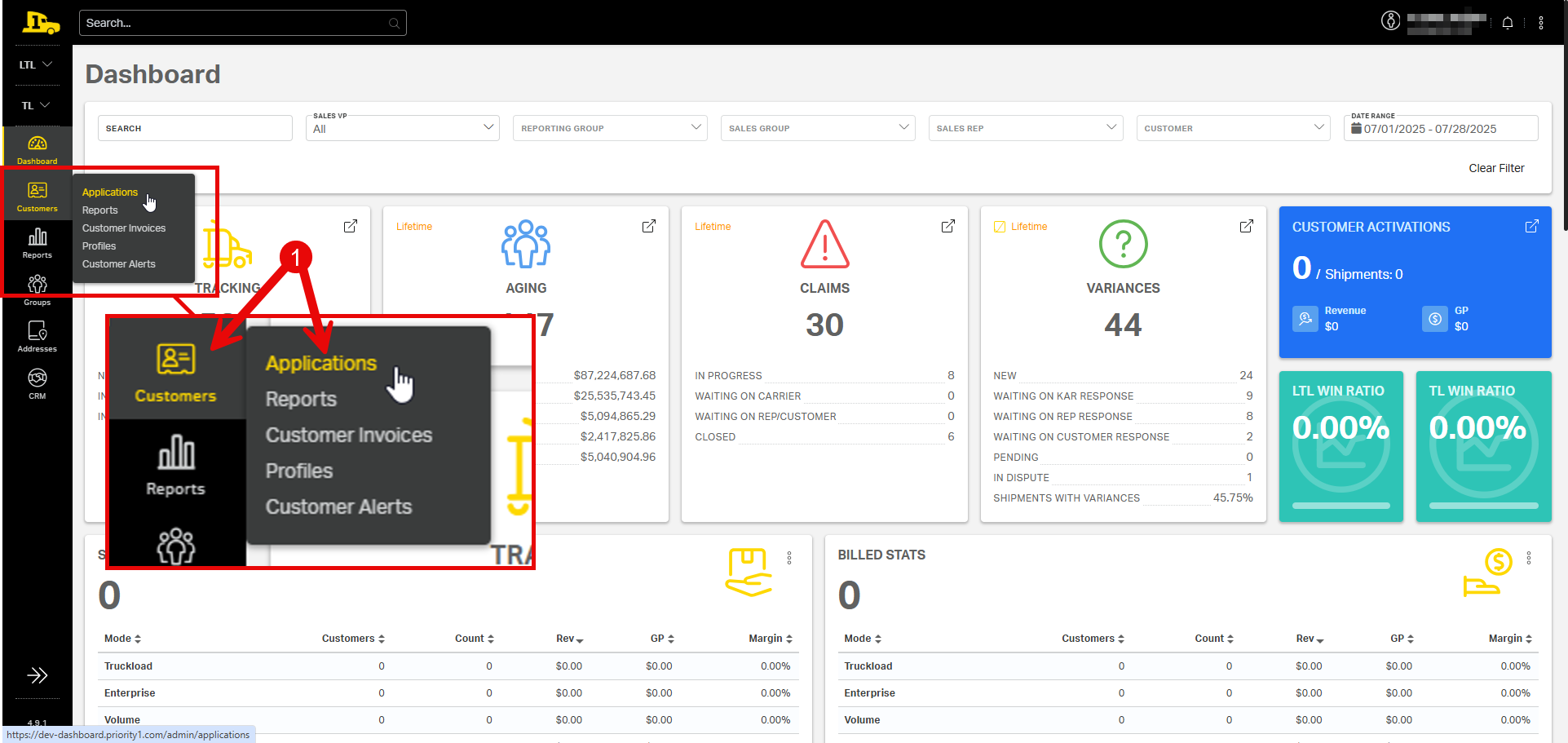
1. Hover over the Customers tab to reveal submenu options. Then select Applications.
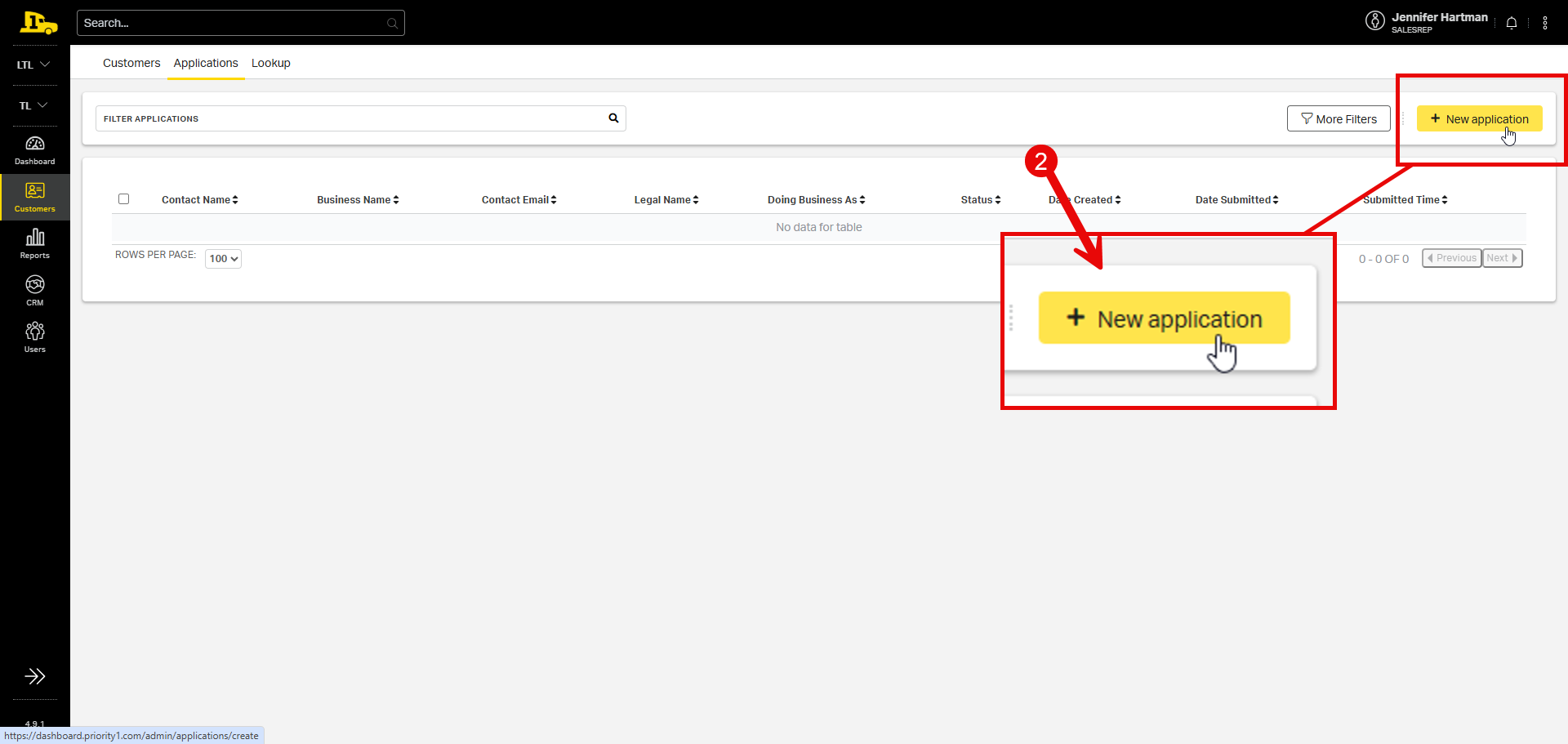
2. From the Applications tab, select New application.
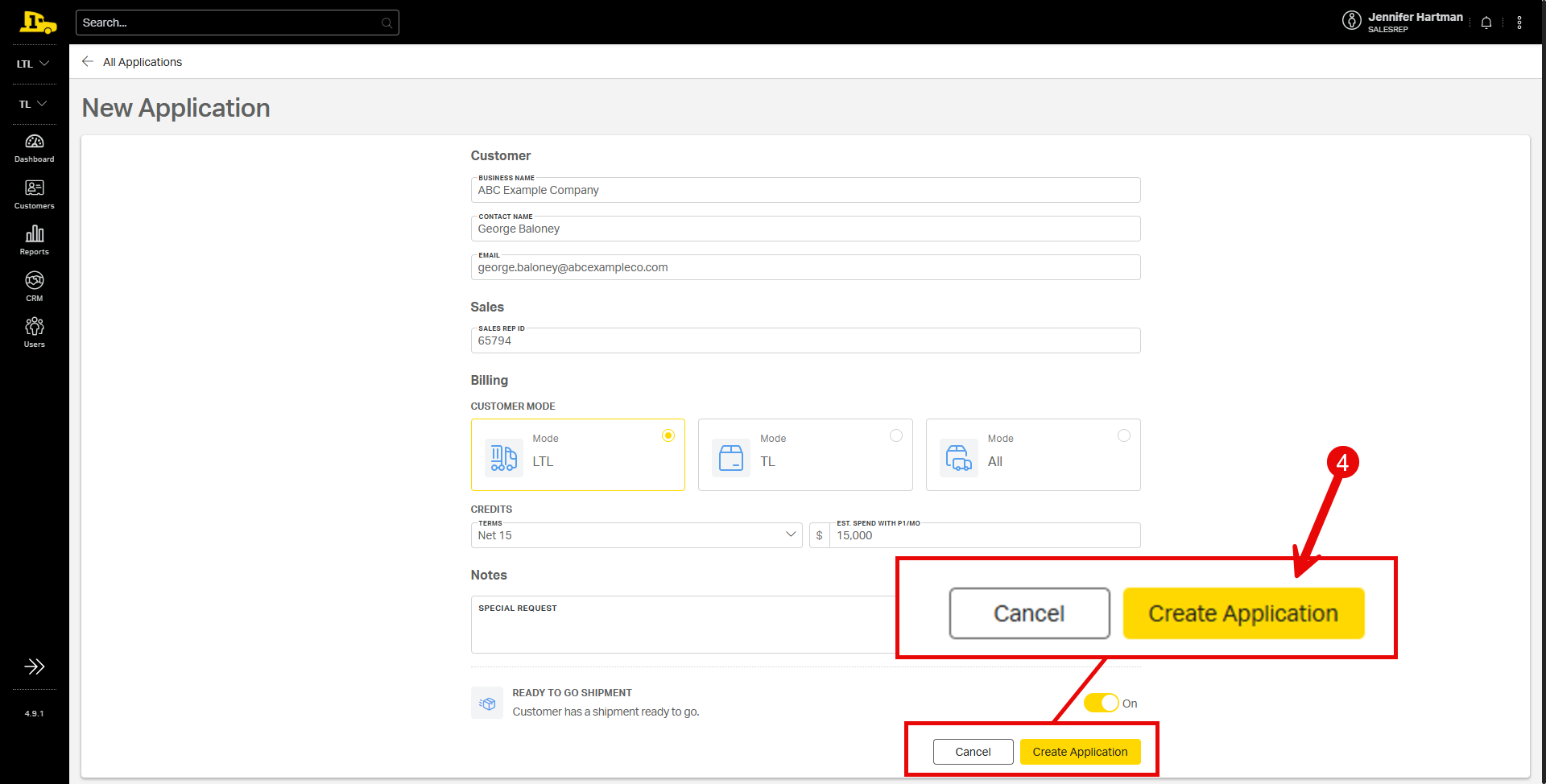
3. Enter the customer’s information, including contact information, modes, credit terms, and any special requests. If the customer has a load pending, turn on the Ready to Go Shipment toggle.
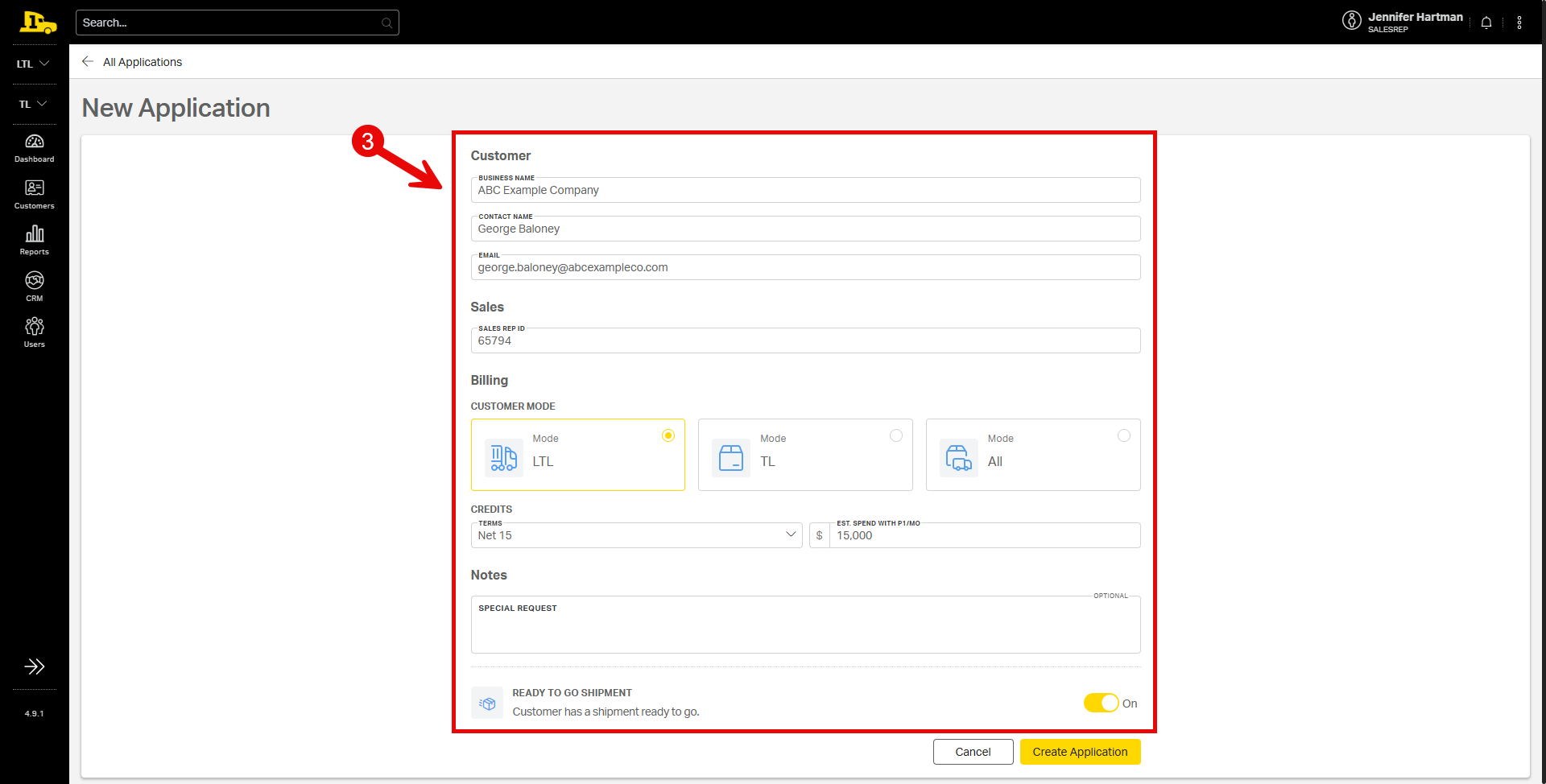
4. Select Create Application.
Updating or Resending a Customer Application
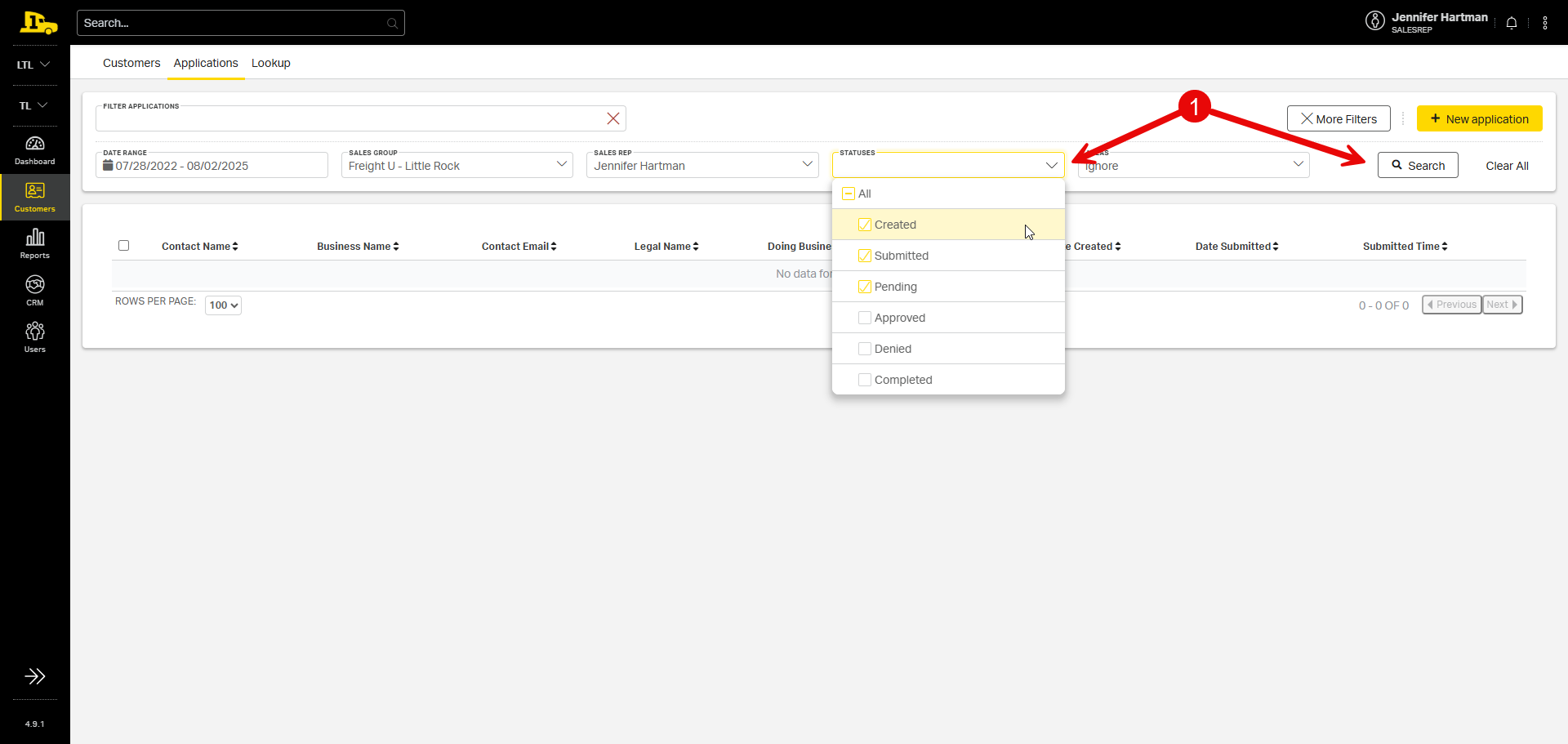
1. From the Applications tab, filter applications by status; then select Search.
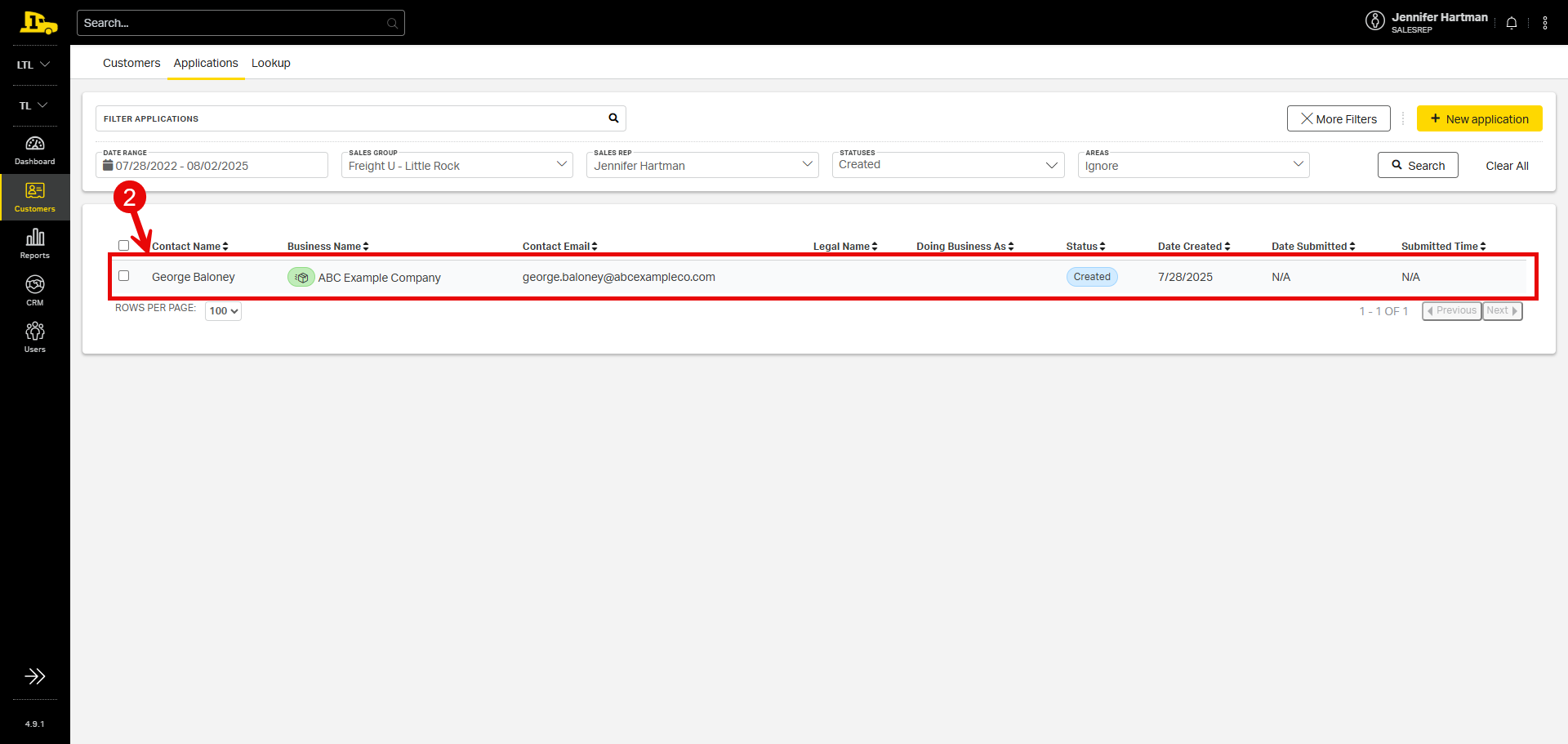
2. Applications that meet the search criteria will populate the screen. Clicking on the customer’s name will open the Application Details page.
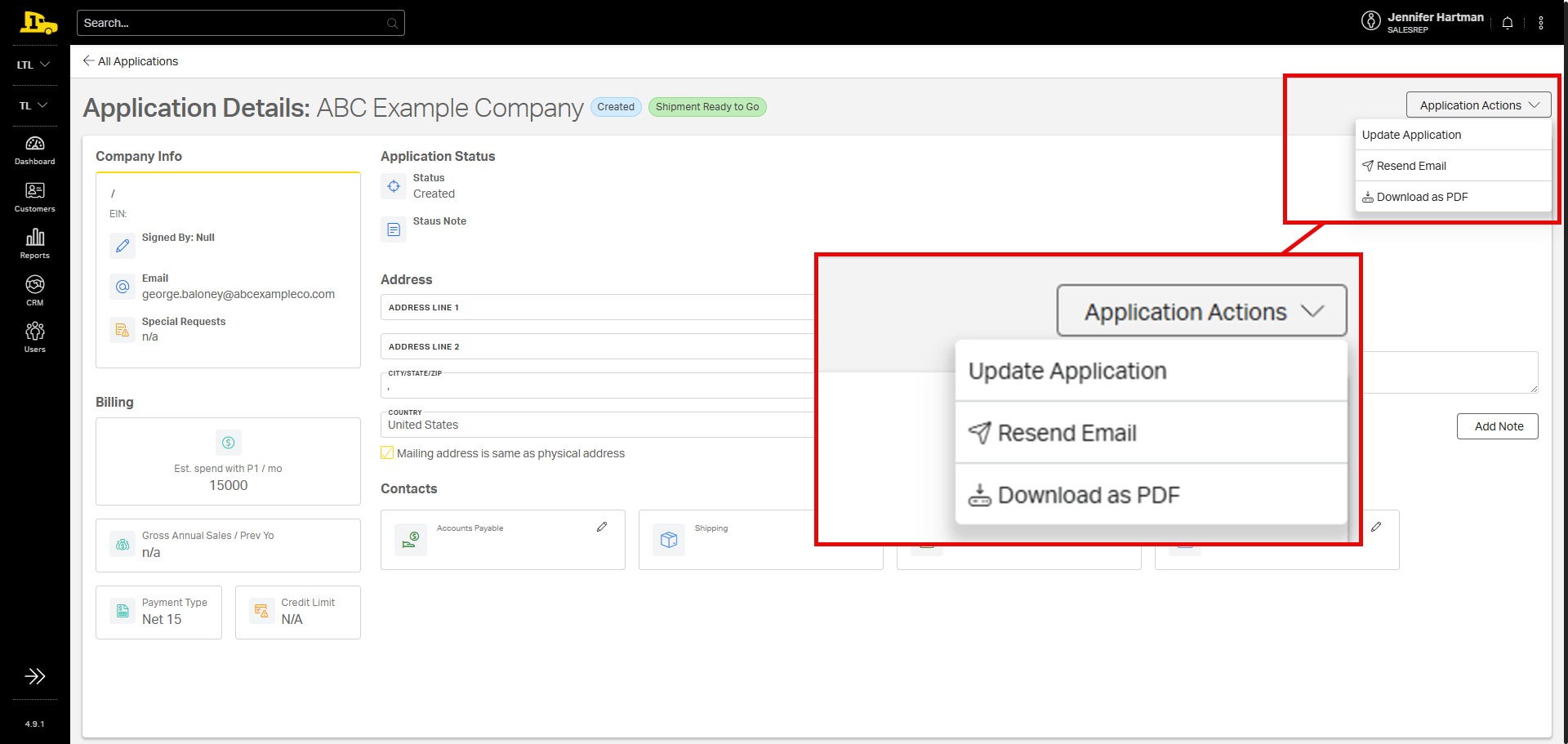
3. From the details page, reps can update relevant information or add new notes.
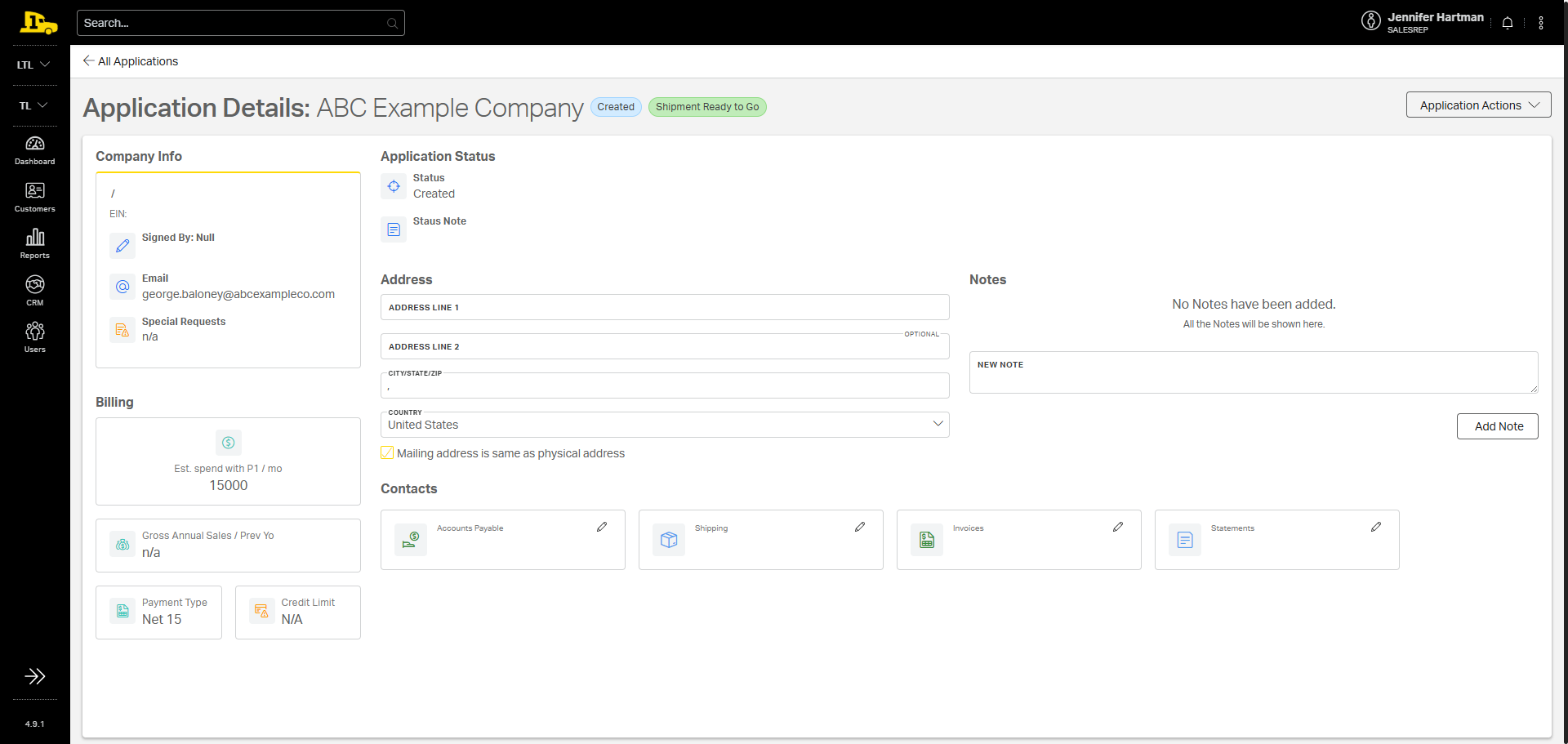
4. The Application Actions dropdown allows reps to update or resend the digital application, or they can download a PDF version.