
Missed LTL Pickups
In LTL shipping, a missed pickup happens when a carrier doesn’t pick up the freight as scheduled, causing delays and frustration for sales reps and customers alike. Missed pickups are fairly common, and they can occur for a variety of reasons. This article outlines the most frequent causes of missed pickups, explains how to identify them quickly in Cabo, and provides practical steps for resolving them quickly.
Common Reasons for Missed Pickups
There are many reasons why an LTL shipment may not be picked up on time, but the most frequent scenarios include the following:
- Capacity: The driver's truck was full.
- Remote Location: The carrier only services the pickup area on select days, typically when enough shipments have accumulated.
- Timing: The driver was already passed the pickup location by the time the shipment was booked, or the shipment as booked past the carrier's cutoff time for same day pickups.
- Freight Not Ready: The shipment wasn't prepared or available for pickup when the driver arrived.
Although these situations are often outside of your direct control, understanding them allows you to set clear expectations with customers and explain why a pickup may not have occurred as scheduled.
Navigating to the Missed Pickups Page
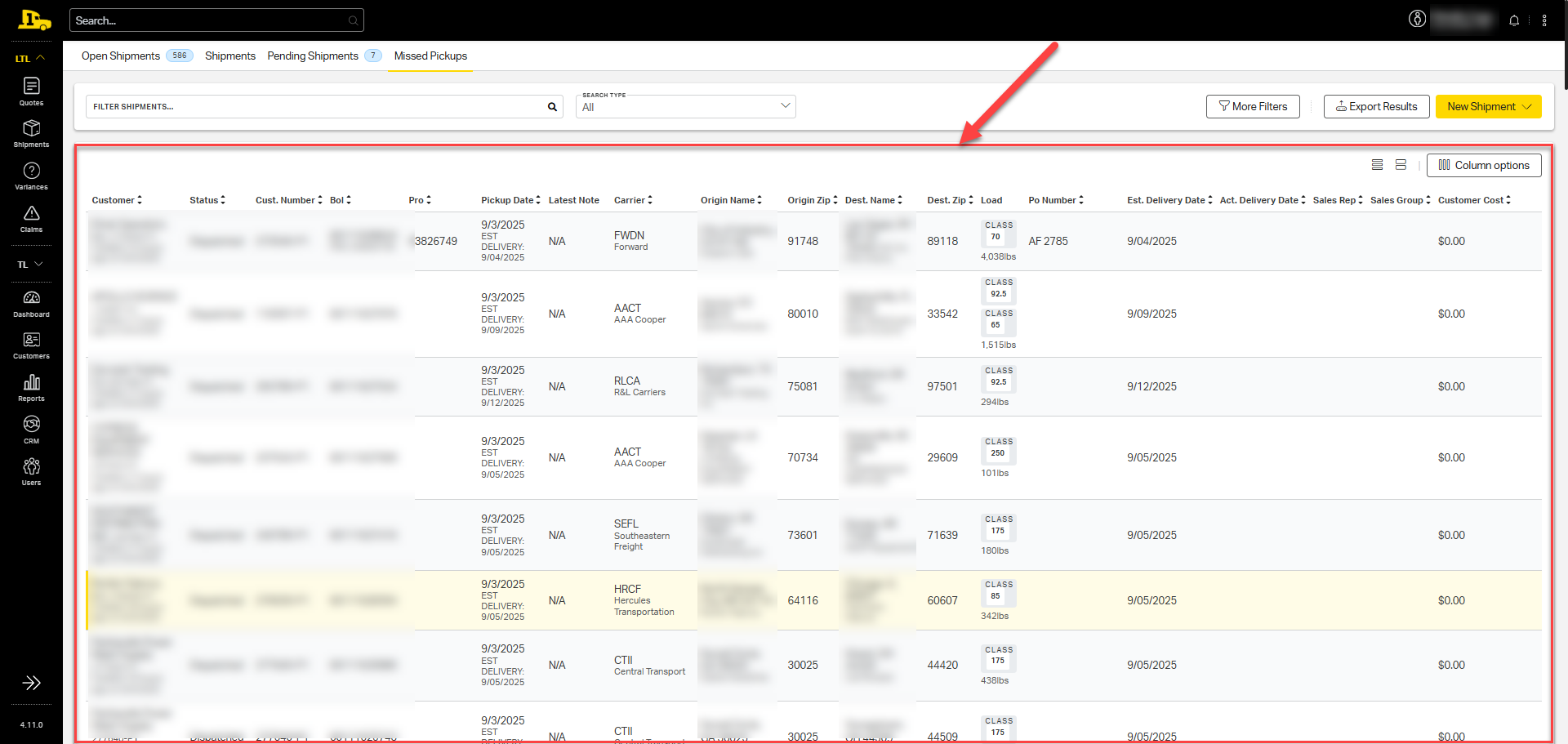
A shipment is considered a missed pickup if it has a past pickup date but no PRO (carrier tracking) number assigned. Cabo automatically identifies these “No PRO” shipments and groups them into a single dashboard, giving you a consolidated view of all their customers’ missed pickups in one place.
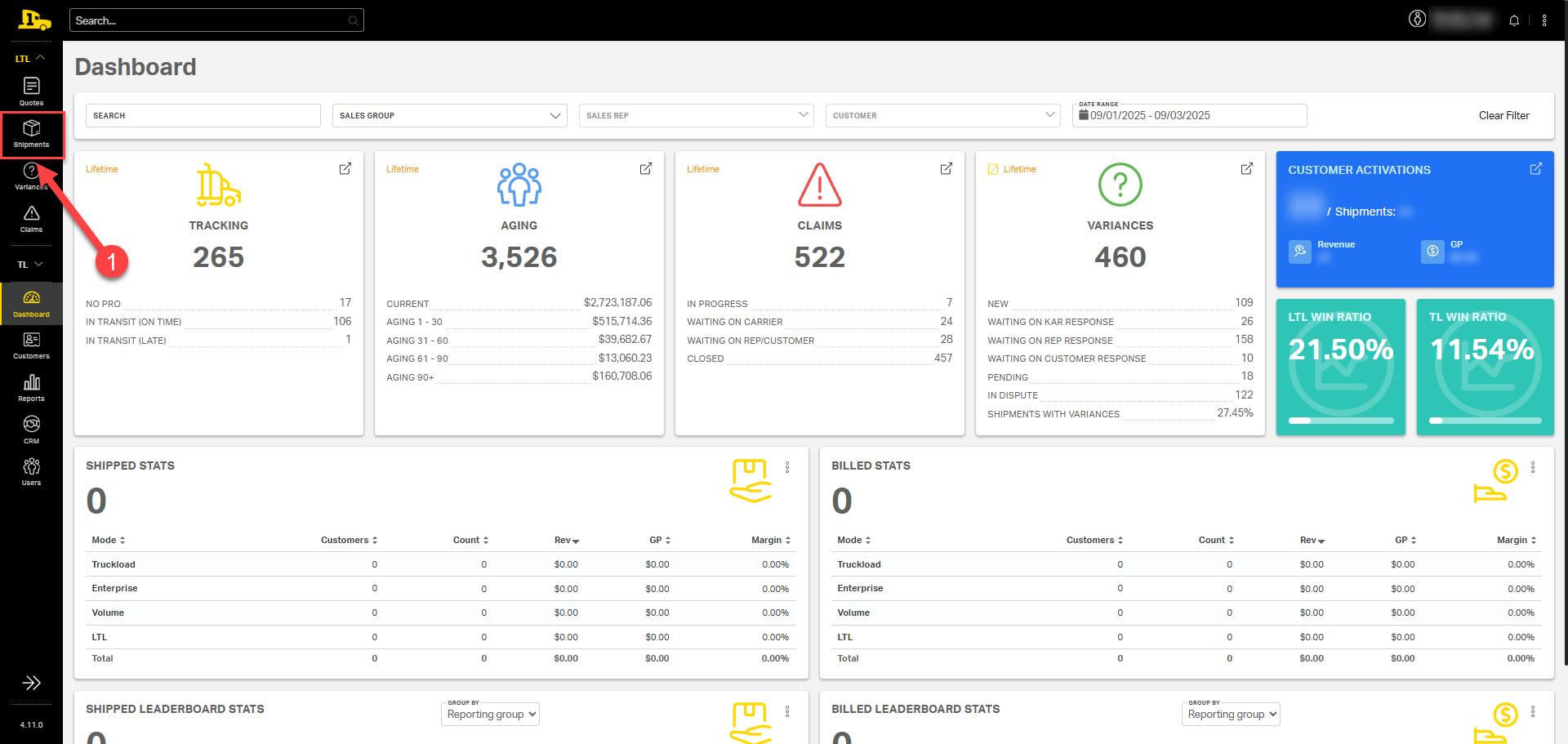
1. Click on the LTL tab in the navigation menu to open the LTL menu options; then select Shipments.
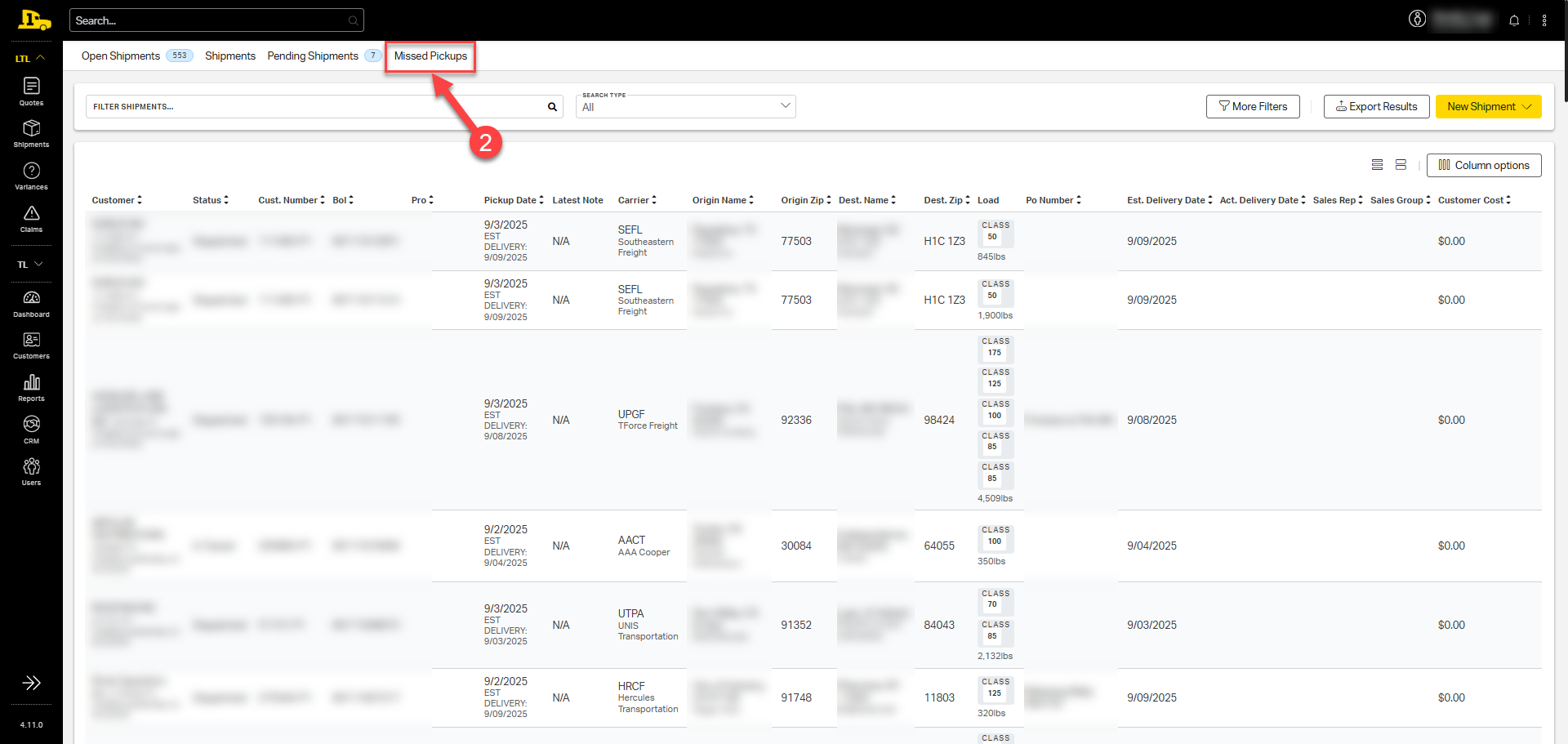
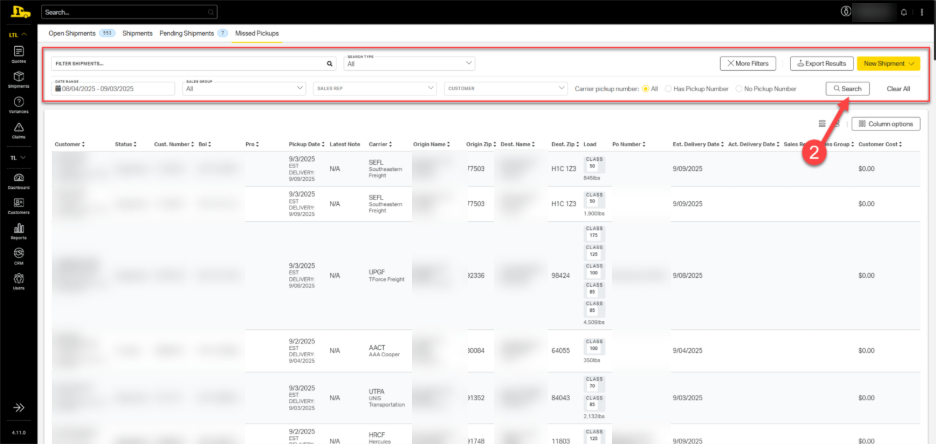
2. From the tab bar at the top of the screen, select Missed Pickups.
3. Shipments with past pickup dates but no PRO numbers are listed on the Missed Pickup page.
Narrowing Down Dashboard Results
From the missed pickups page, apply filters to narrow results and quickly find specific shipments or customers.
1. Select the More Filters button to reveal various filtering options.
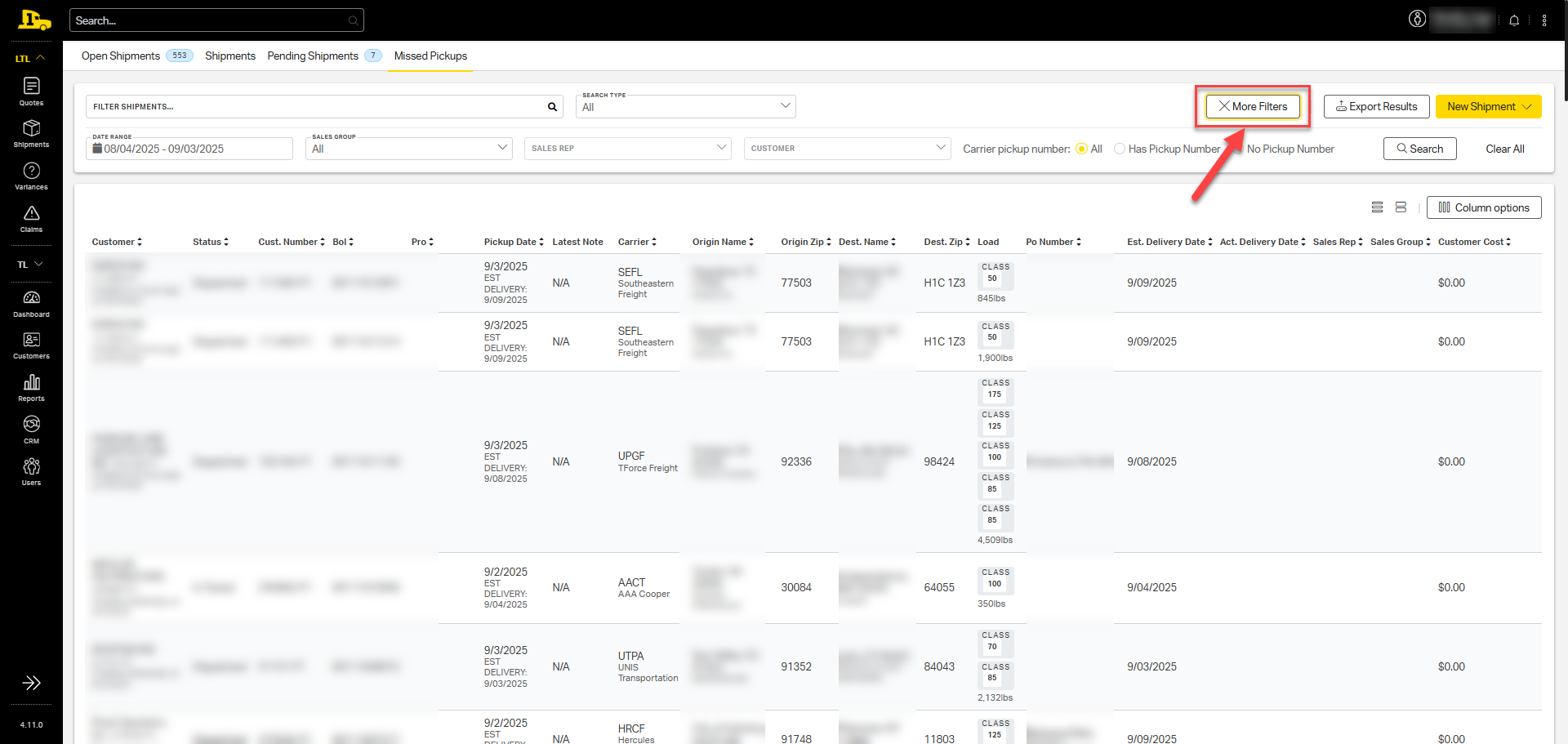
2. Enter any relevant filters; then select Search to update results.
Managing Missed Pickups
To address a missed pickup, gather key details, coordinate with the carrier, and update the customer:
1. Look up the shipment's details in Cabo, including the carrier's reference number(s) for that shipment.
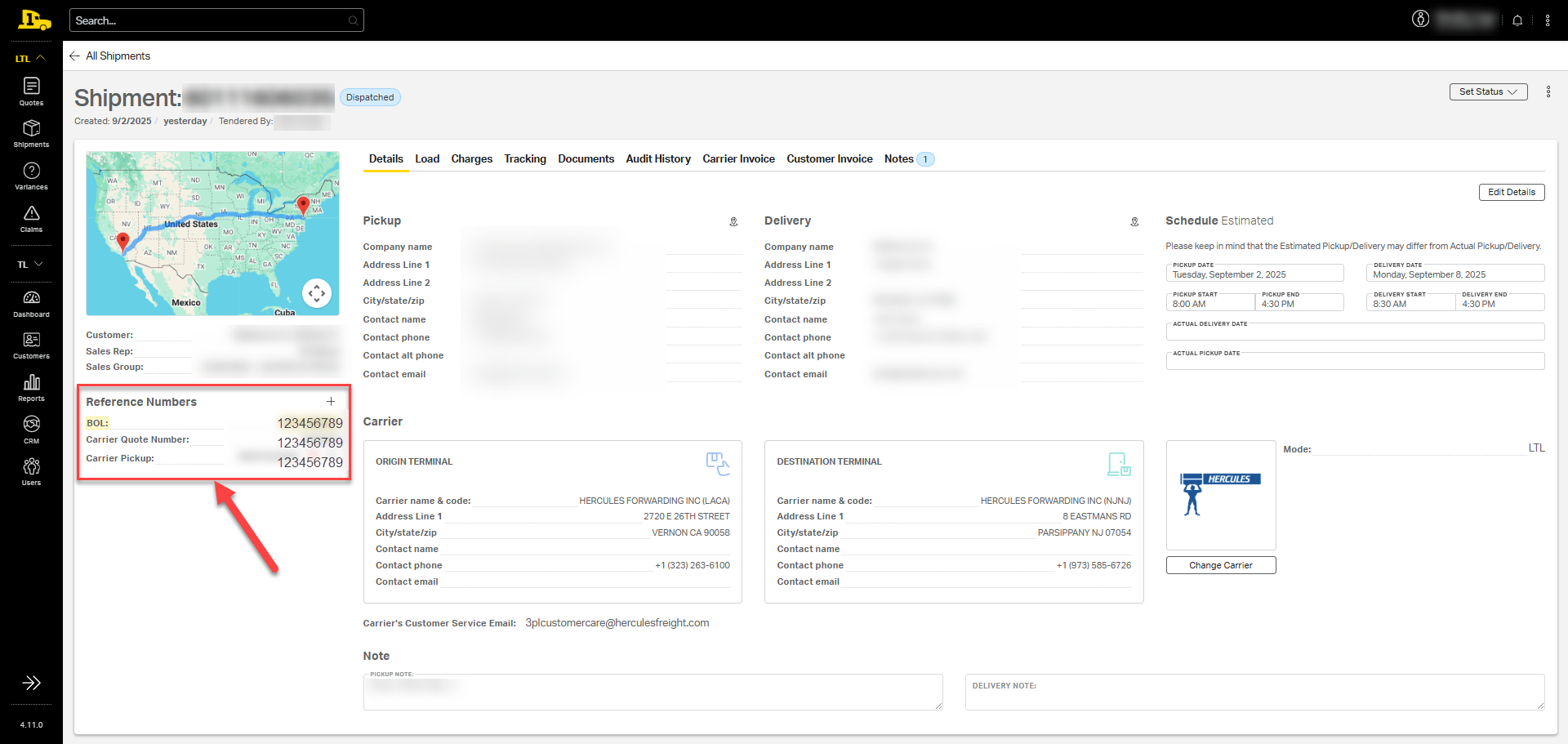
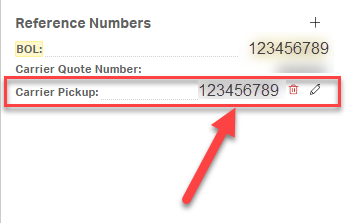
2. Contact the carrier (via phone or email), provide the pickup number, and request an update on the shipment.
Streamlining Missed Pickups
Though teams across Priority1 may handle missed pickups a bit differently, the following best practices make the process easier and more consistent for everyone:
- Prioritize missed pickup investigations at the start of each work day. Timely communication between carriers and customers is crucial.
- Sort by carrier on the missed pickups dashboard to address multiple missed pickups at once.
- Create an email template for missed pickups to save time.
- Document any findings under the Notes tab in Cabo to ensure visibility across teams.
Adding a Reference Number
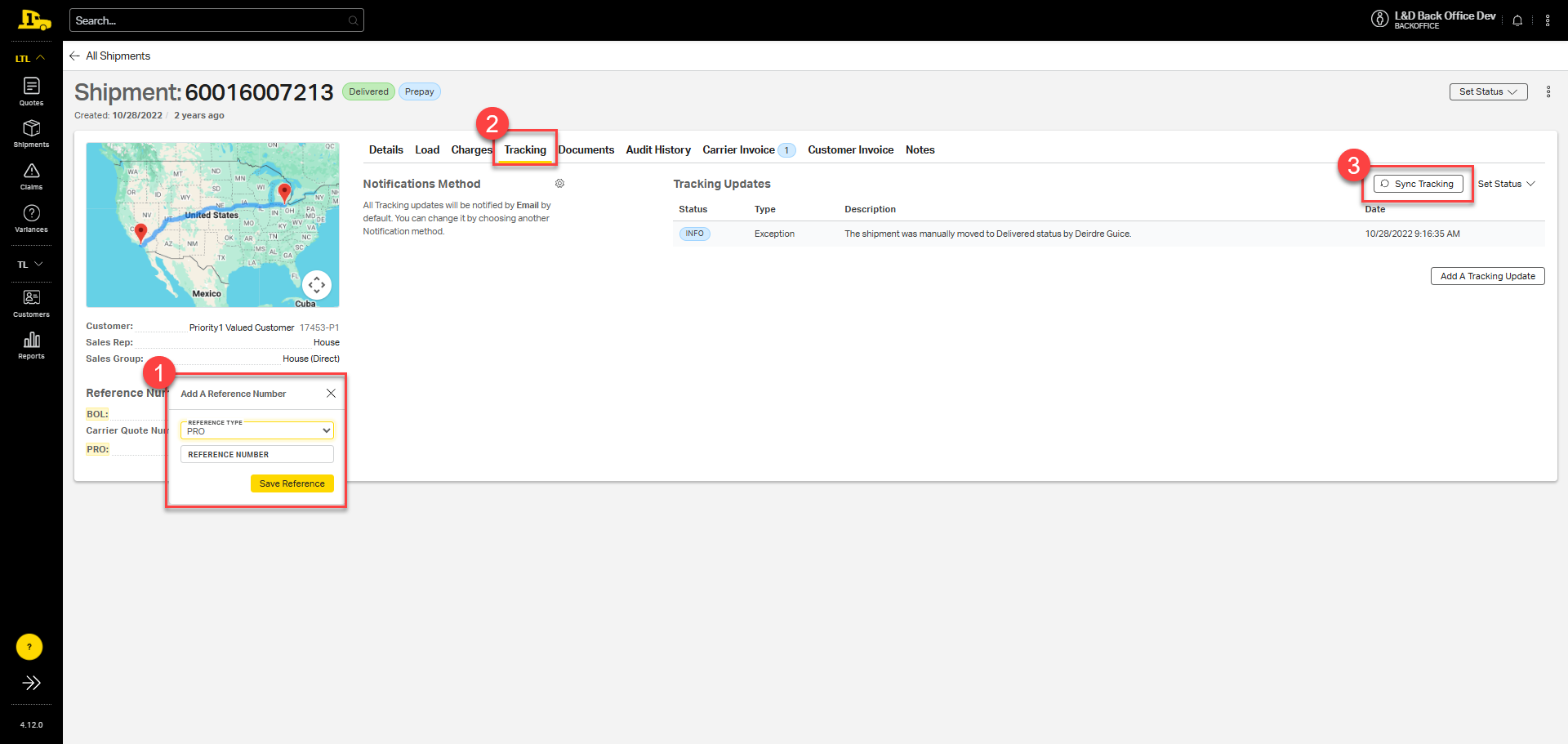
In some cases, the shipment has been picked up, but the PRO number didn't populate properly in the system. For these instances, you can manually add a PRO number to the shipment, then select Sync Tracking on the tracking tab to begin pulling live tracking information directly from the carrier's website.
Related Articles