
Setting LTL Margin and Minimum
Cabo allows control over how much margin is added to LTL carrier costs on a per-customer basis. The margin percentage and minimum fields can be adjusted to align pricing with customer relationships, shipment volume, or business goals.
How Cabo Applies Margin and Minimum
- Margin (%): The percentage added to the carrier’s base rate.
- Minimum ($): The minimum dollar amount charged, regardless of margin.
If the calculated margin is below the minimum set, Cabo will automatically increase the customer's rate to meet the minimum. Cabo will never reduce the margin if it's already higher than the minimum.
How to Set LTL Margin % and Minimum for a Carrier
There are 3 main ways to update a carrier's margin and minimum.
Option 1: From the Carriers section
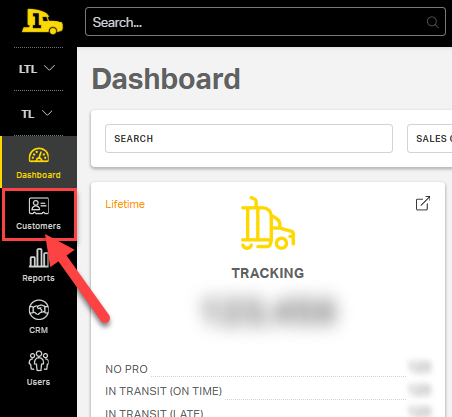
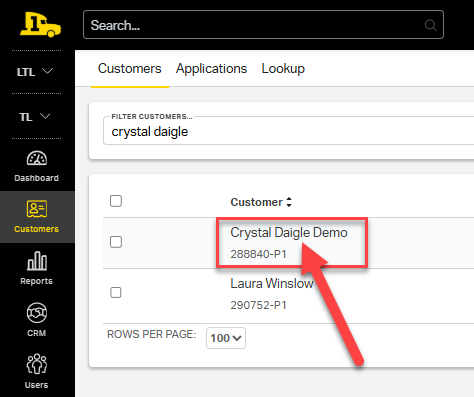
1. Navigate to the customer’s profile.
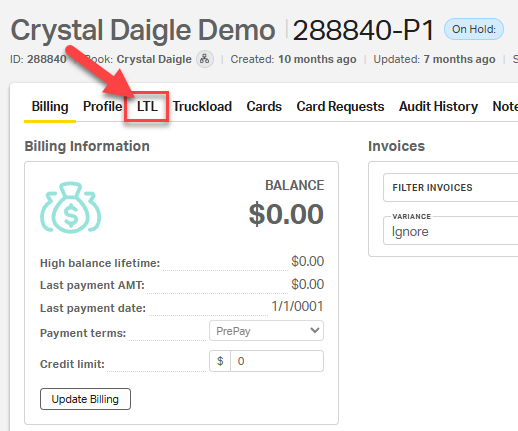
2. Select the LTL tab.
3. The LTL tab will open to the Carriers section.
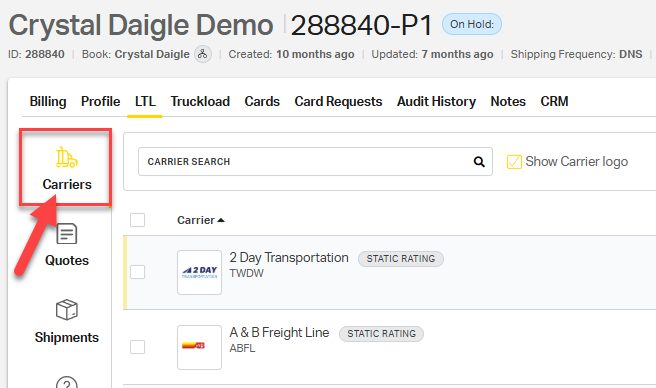
4. Locate the columns labeled LTL Margin and LTL Minimum.
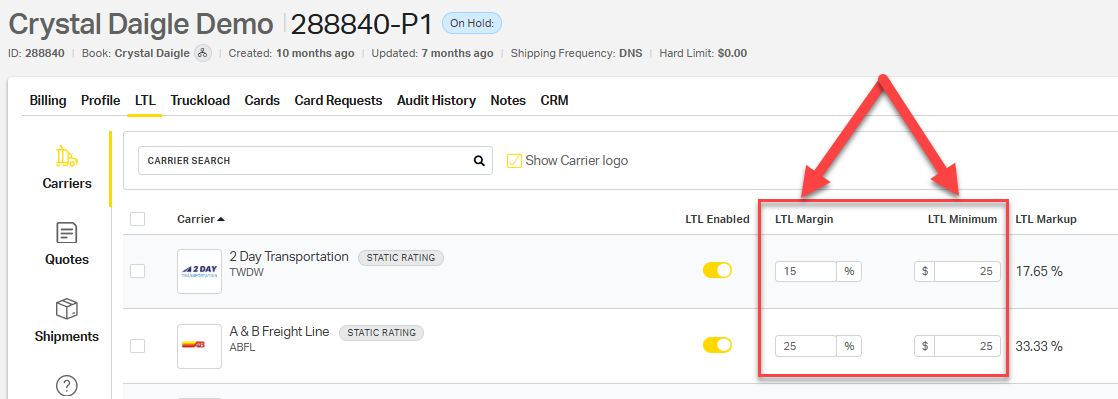
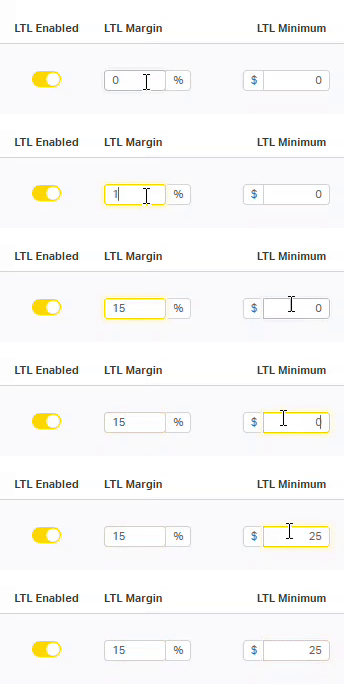
5. Click into the LTL Margin field for the specific carrier and enter the desired percentage (e.g., 15 for 15%).
6. Click into the LTL Minimum field for the same carrier and enter the desired dollar value (e.g., 25 for $25).
7. Click outside the field to auto-save any changes.
Option 2: From the Carrier's Settings Page
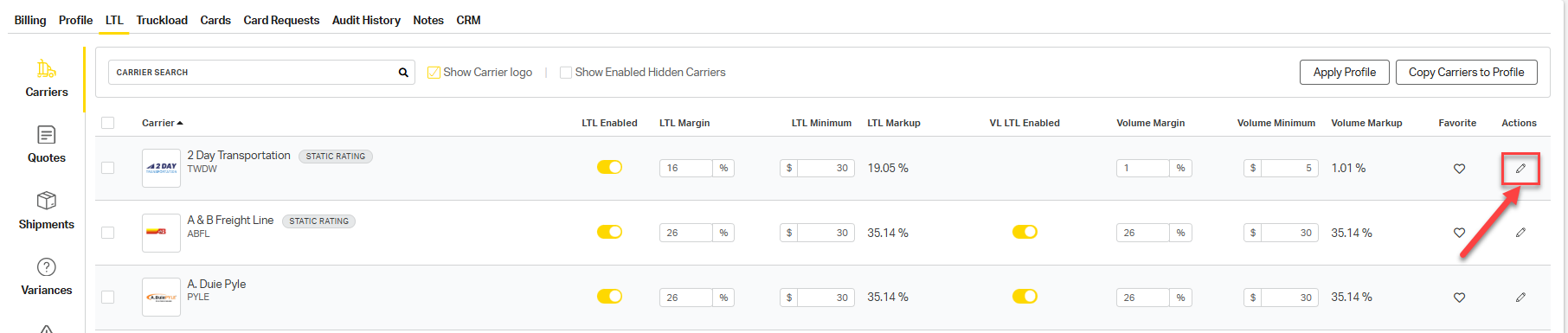
1. Locate the LTL carrier you want to adjust margin or minimum on, then select the edit pencil to the right of their name under the Actions column.
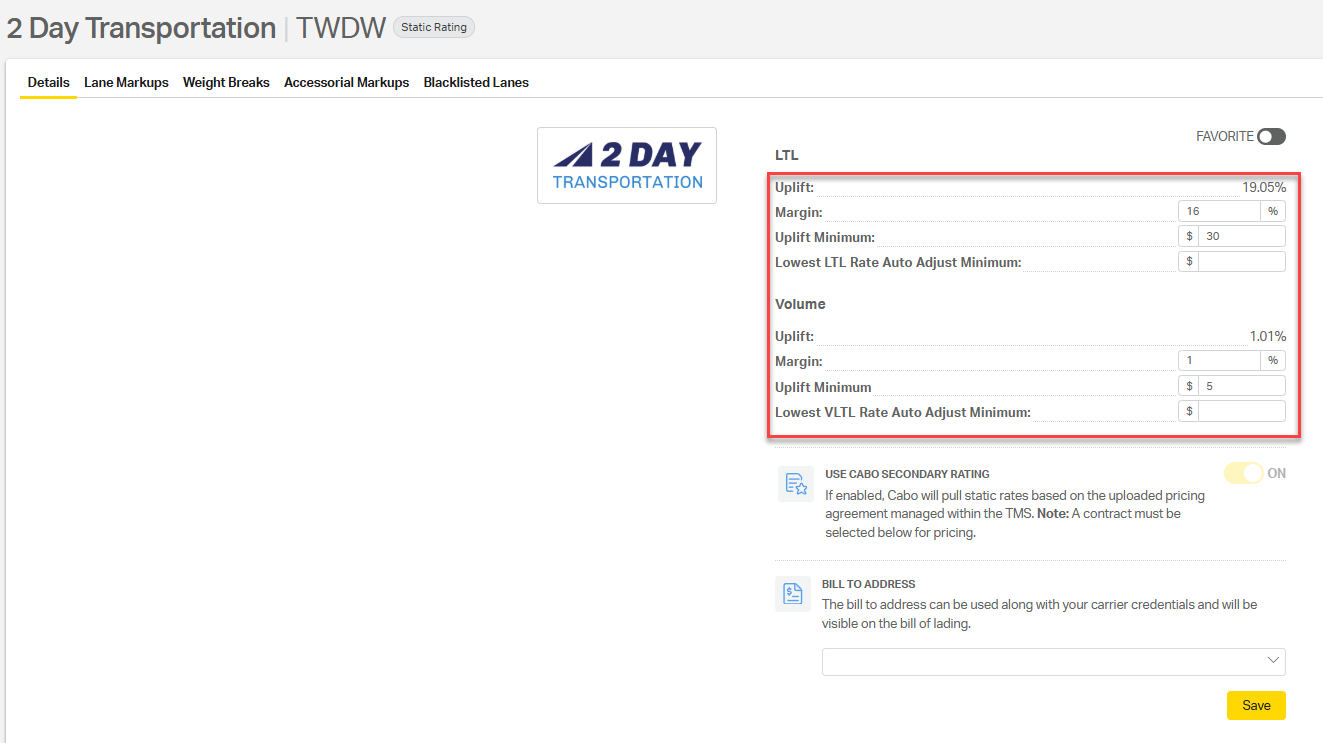
⚠️ Note: Margin and Minimum settings can be customized separately for Standard LTL and Volume LTL shipments. This means you can apply different pricing thresholds and profit margins to each type, depending on your customer needs.
Option 3: Bulk Update Margin or Minimum for Multiple Carriers
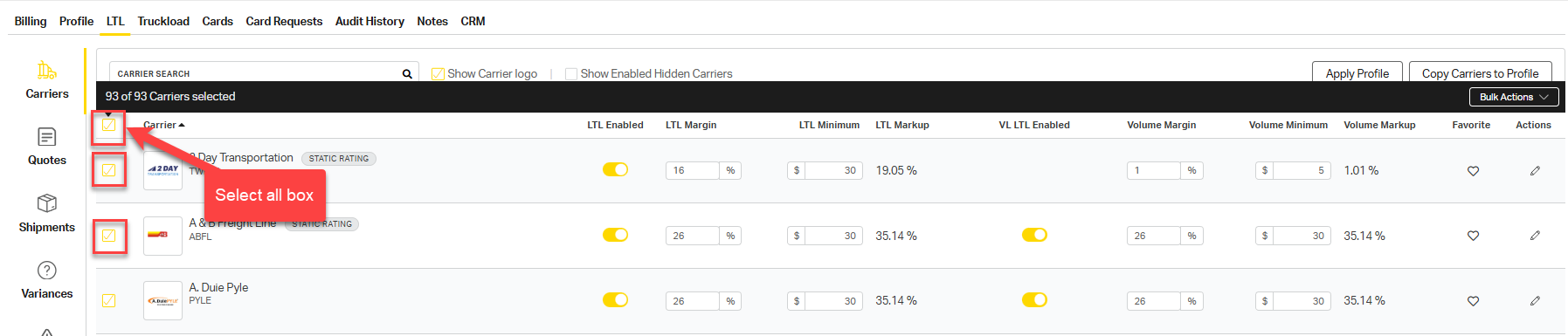
1. From the Carriers section, select the box to the left of any LTL carriers that you want to adjust their margin or minimum to the same metric. You can select all carriers at once by selecting the box above all carrier names.
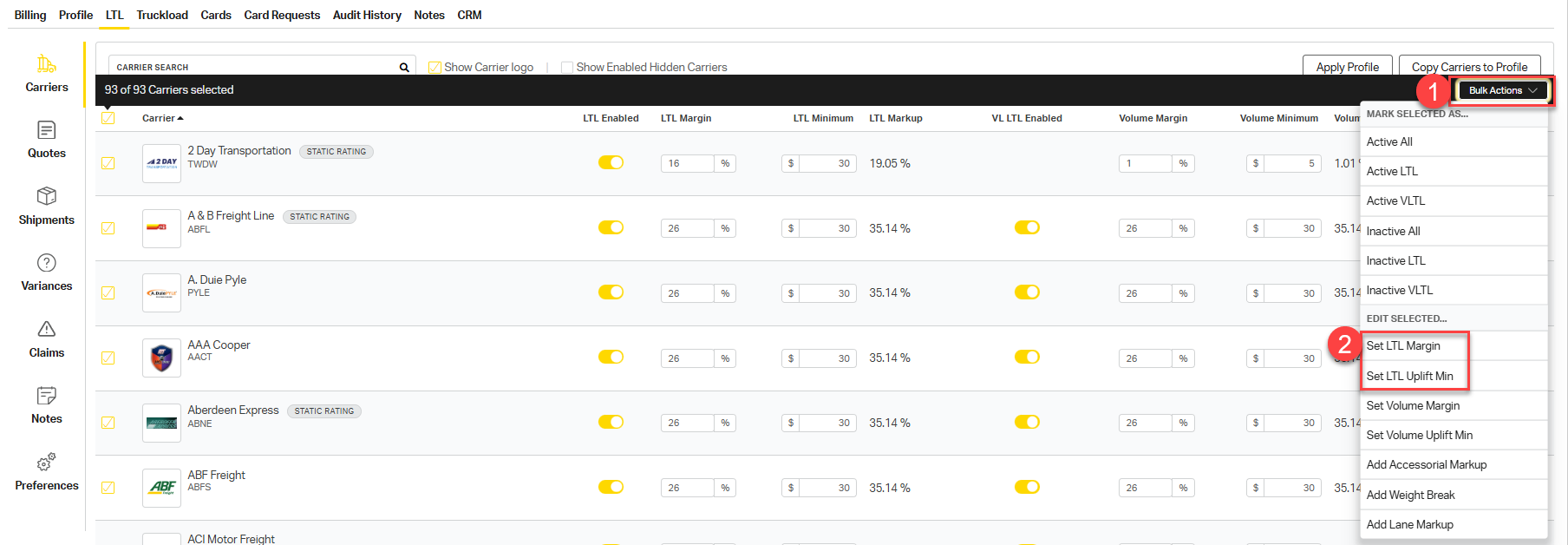
2. Select the Bulk Actions button and choose Set LTL Margin or Set LTL Minimum.
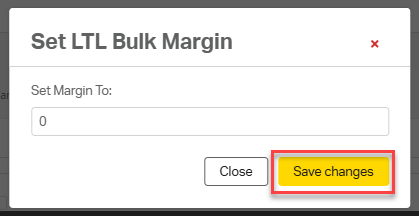
3. Update your margin % and select Save changes.
Example Calculations
| Carrier Cost | Margin (%) | Margin $ | Minimum $ | Final Cost to Customer |
|---|---|---|---|---|
| $100 | 15% | $17.65 | $25 | $125 (Minimum applied) |
| $100 | 20% | $25 | $25 | $125 (Margin = Minimum) |
| $100 | 30% | $42.86 | $25 | $142.86 (Margin applied) |
Cabo will always apply the greater of the calculated margin or the minimum.
Why It Matters
Adjusting margin and/or minimum for specific LTL carriers:
✅ Ensures consistent profit margins across shipments
✅ Aligns pricing with customer relationships and goals
✅ Prevents undercharging on low-cost shipments
✅ Supports fast, flexible updates for changing needs