
Shipping and Handling Fee
Cabo's Shipping & Handling Fee allows customers to edit and track the margin or uplift they add to their own freight costs.
When the shipping and handling fee is enabled, a widget appears on the customer’s Cabo dashboard displaying the total revenue generated from the shipping and handling fees customers have added to their own freight costs.
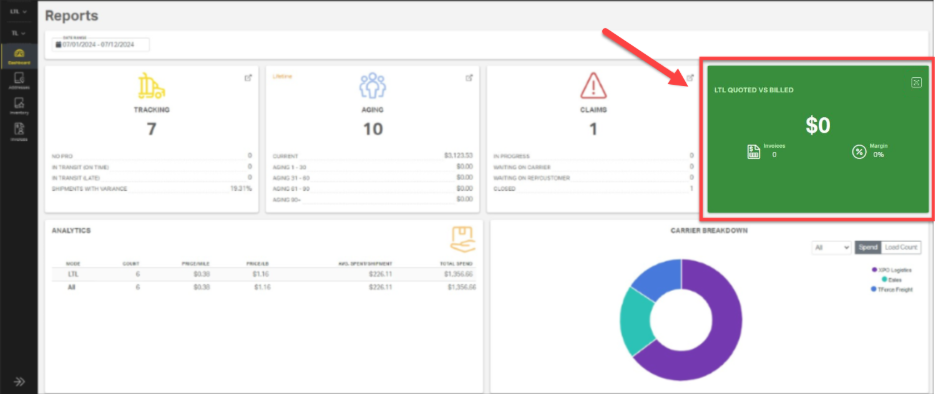
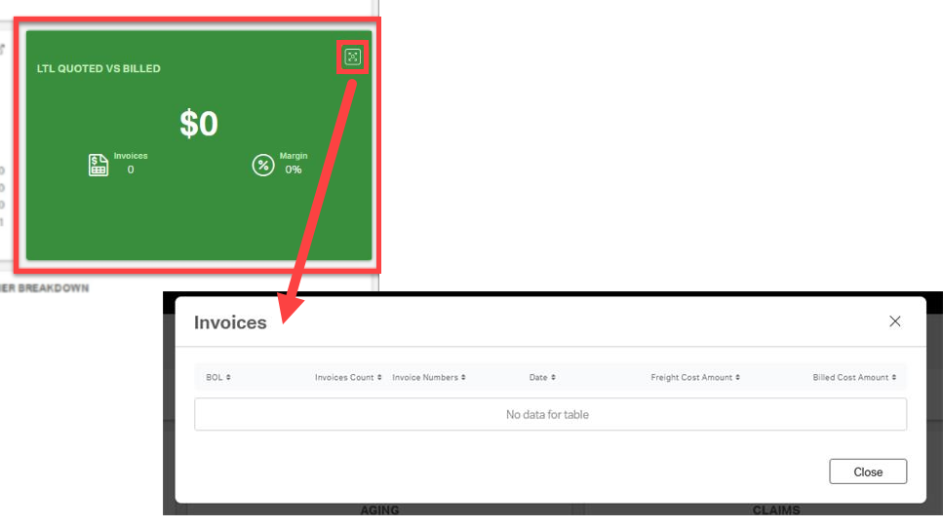
The icon in the top right corner of the Shipping and Handling Widget expands to show a list of invoices.
Enabling Shipping and Handling
Navigation: Customer > LTL > Preferences > Shipments
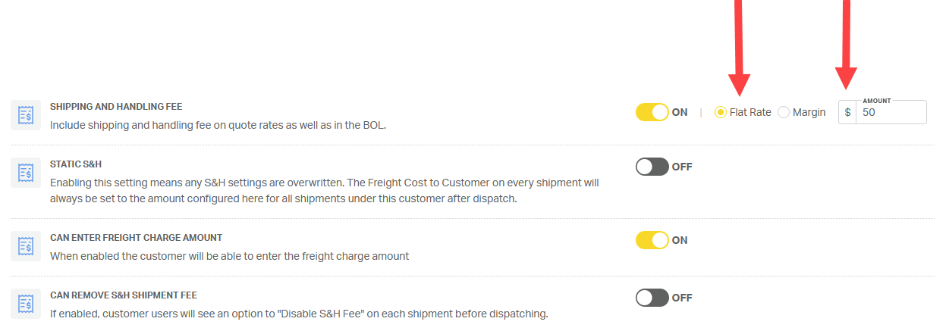
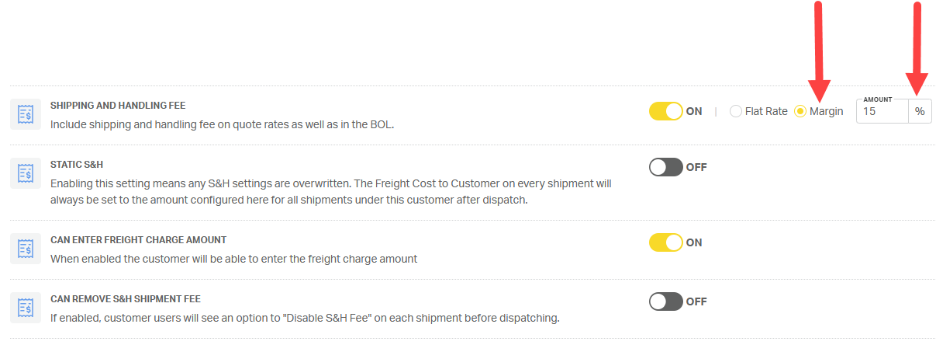
Toggle Shipping and Handling Fee to ON, then select the fee type:
- Flat Rate ($) for a fixed dollar amount per shipment
- Margin (%) for a percentage-based uplift
Enter the appropriate value in the corresponding field.
Static Shipping & Handling
Use Static S&H to establish a fixed price for the customer’s customer. When enabled, the system automatically adjusts the S&H amount to bring the customer’s customer rate to the total noted in the amount field.
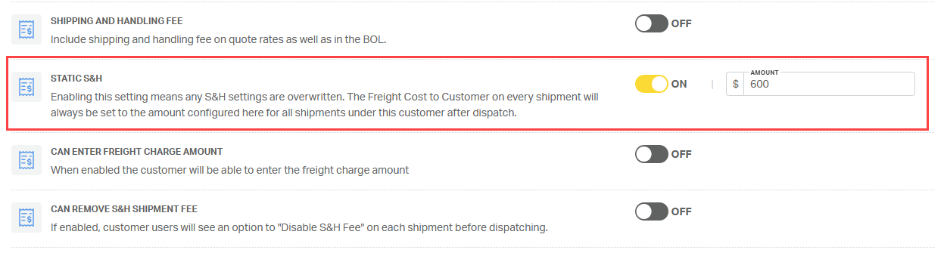
For example:
- If the static total is $600 and the rate to Priority1’s customer is $400,
- Cabo will set S&H to $200.
- $400 P1 customer rate + $200 S&H = $600 rate to the customer’s customer.
- If the static total is $600 and the rate to Priority1’s customer is $500,
- Cabo will set S&H to $100.
- $500 P1 customer rate + $100 S&H = $600 rate to the customer’s customer.
- The sum of Customer Cost and S&H will always equal the Static S&H total set in Cabo.
⚠️ Static S&H will override any other shipping and handling settings.
Can Enter Freight Charge Amount
To allow the customer to override the amount they charge their own customer, toggle Can Enter Freight Charge Amount to ON.
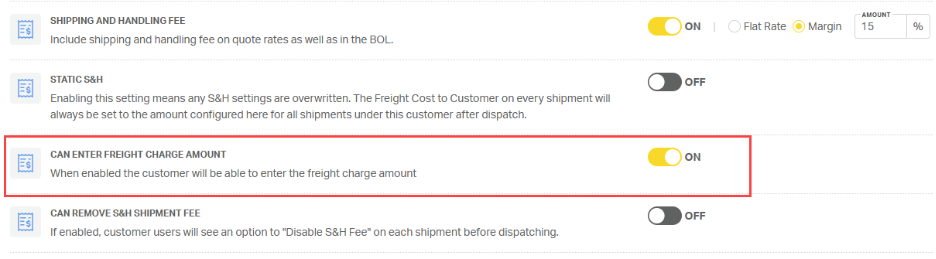
This setting does not affect the rate Priority1 provides to our customer. Instead, it
- reflects the amount our customer charges their own customer, and
- impacts the revenue earned by Priority1’s customer, which is shown in the Shipping & Handling Fee dashboard widget.
Disabling the S&H Shipment Fee
Can Remove S&H Shipment Fee allows the Priority1 rep and/or the Priority1 customer to disable shipping and handling for individual shipments. To enable, set the toggle to ON.
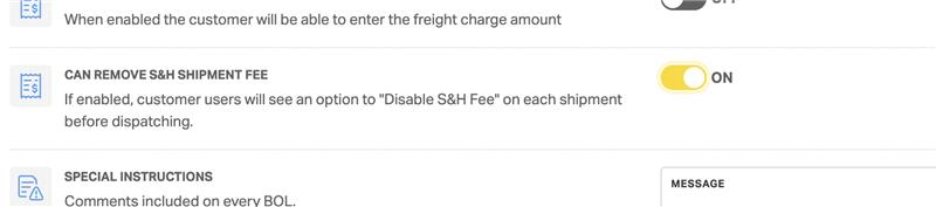
Once enabled, the Priority1 rep and/or the customer will have the ability to toggle the shipping and handling fee OFF on the final page of the booking process for individual shipments.

